TOTP Explained: How Time-Based One-Time Passwords Secure Your Accounts (And the Best Apps to Use)
TOTP (Time-based One-Time Password) is one of the most effective and widely used forms of two-factor authentication. Learn how it works, its advantages over SMS codes, and the best authenticator apps available today.
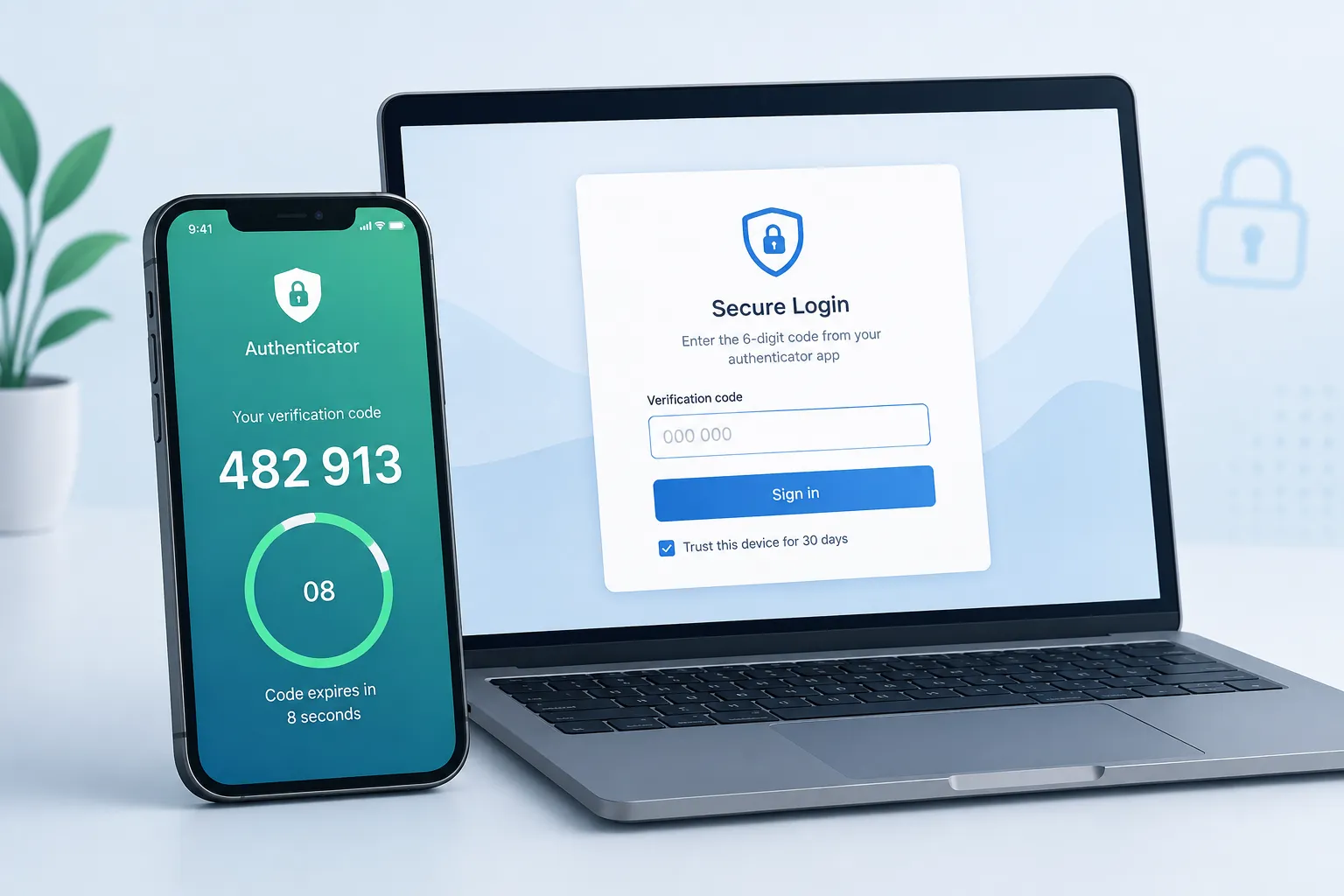
TOTP Explained: How Time-Based One-Time Passwords Secure Your Accounts (And the Best Apps to Use)
In a world where data breaches and password leaks are routine, relying on a username and password alone is no longer enough. Two-factor authentication (2FA) has become essential, and one of the most reliable methods is TOTPm Time-based One-Time Password.
Unlike SMS codes that can be intercepted or delayed, TOTP generates short-lived codes right on your device. It’s free, works offline, and is supported by virtually every major service. Here’s everything you need to know.
What Is TOTP?
TOTP stands for Time-based One-Time Password. It is an open standard (defined in RFC 6238) that generates a temporary numeric code, usually 6 digits, that changes every 30 seconds (sometimes 60).
These codes are created by an authenticator app on your phone (or computer) using a shared secret key and the current time. Both your device and the service you’re logging into calculate the same code independently. No internet connection is required after the initial setup.
TOTP is a form of software-based 2FA (sometimes called “app-based authentication” or “soft tokens”). It is widely used by Google, Microsoft, GitHub, banks, crypto exchanges, password managers, and thousands of other services.
How TOTP Works (Step by Step)
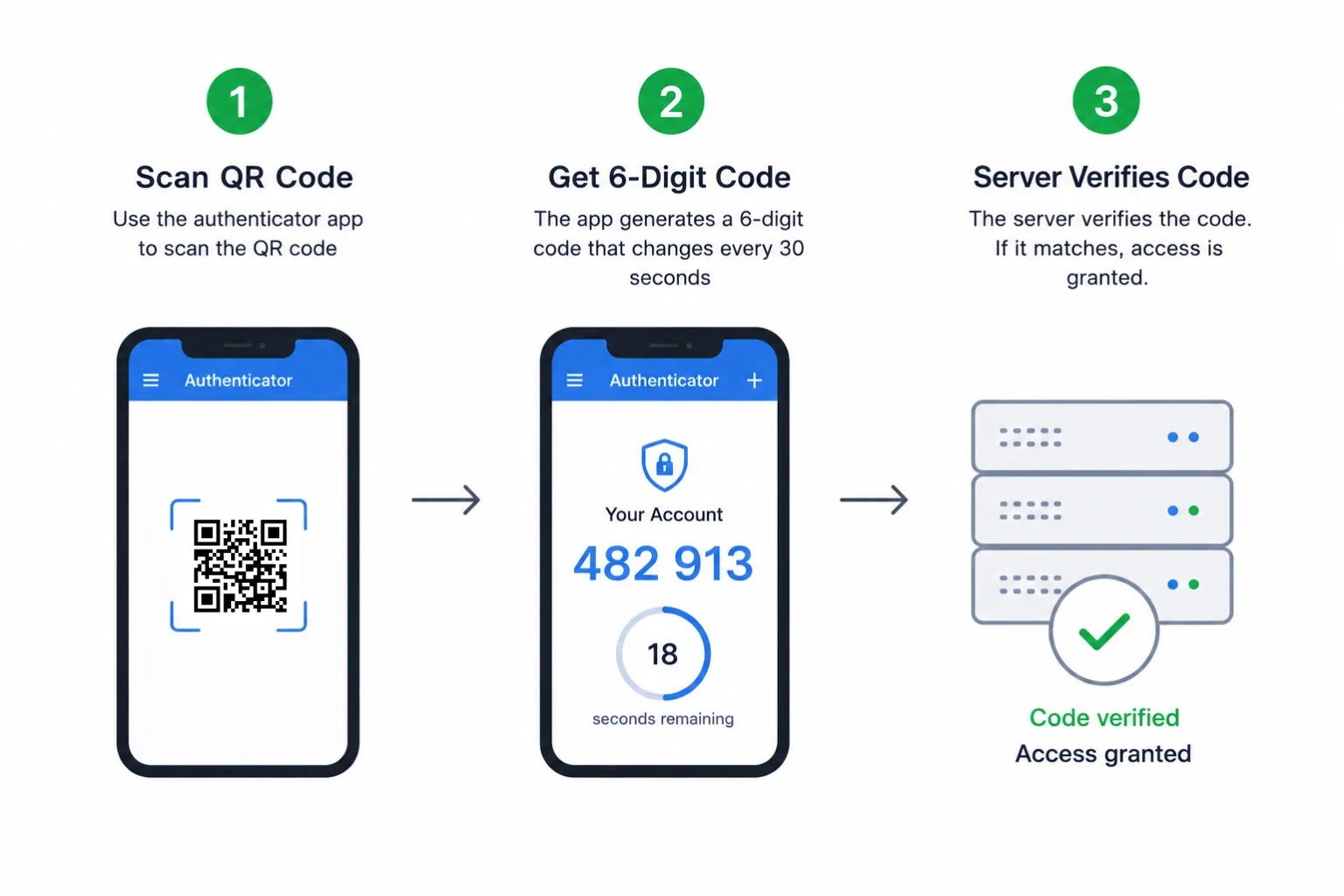
The process is elegant and doesn’t require constant communication between your phone and the server:
-
Setup / Enrollment
When you enable 2FA on a website or app, the service generates a random secret key (usually 160 bits or more) and displays it as a QR code (or a manual key).
You scan the QR code with an authenticator app. The app stores the secret securely. The service also stores the same secret linked to your account. -
Code Generation
Every 30 seconds, both the app and the server do the same calculation:- Take the current Unix timestamp and divide it by 30 (the time step).
- Feed that time counter + the shared secret into an HMAC cryptographic function (usually HMAC-SHA1, though SHA-256/512 are also supported).
- Truncate the result into a 6-digit (or sometimes 8-digit) code.
-
Verification
You enter the code shown in your app. The server performs the identical calculation. If the codes match (and the server usually allows a small window of ±1 time step to account for slight clock differences), you’re authenticated.
Because the code is tied to time and expires quickly, even if someone sees or steals one code, it becomes useless within seconds.
Key Advantages of TOTP
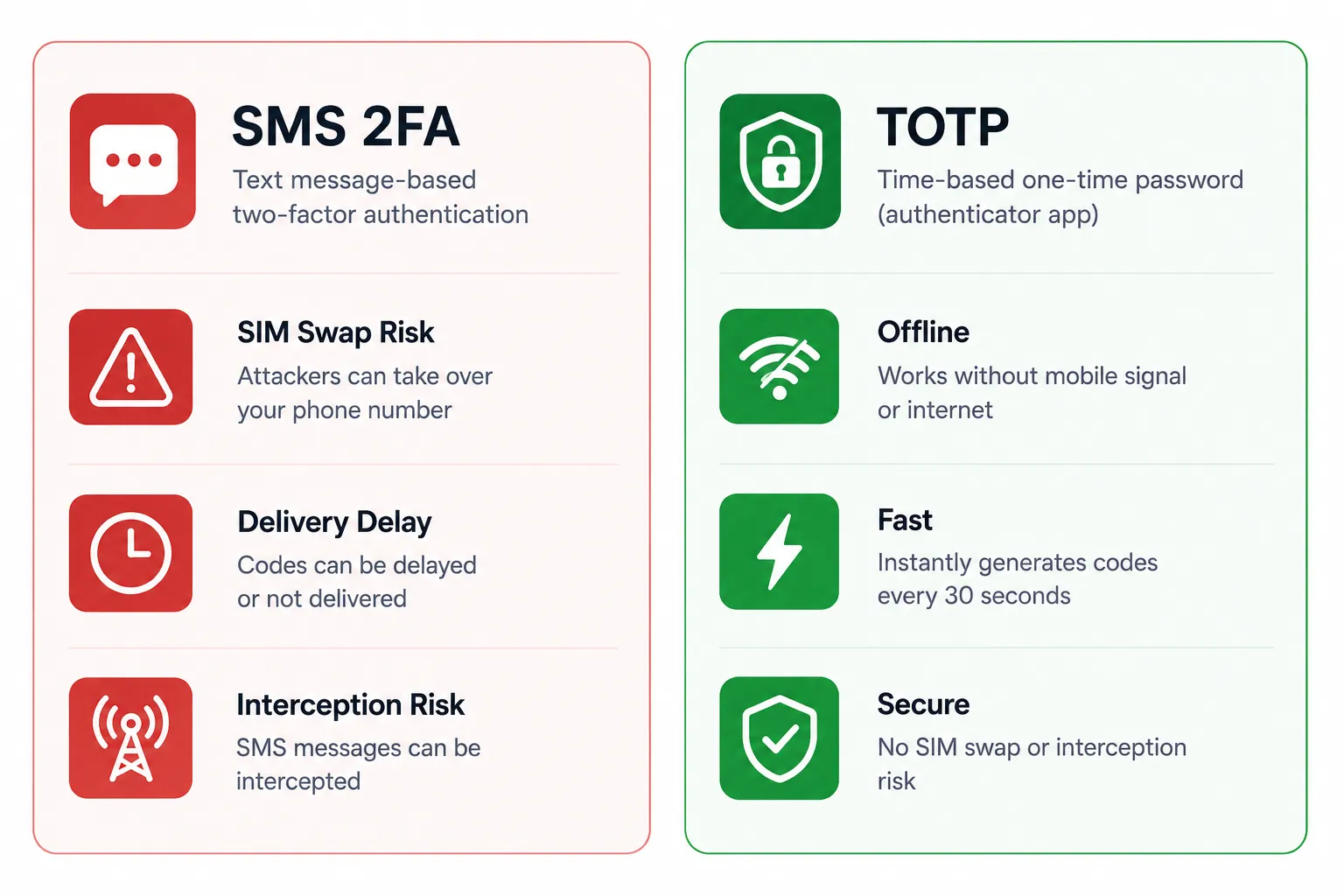
- Works offline — Once set up, no mobile signal or internet is needed to generate codes.
- Resistant to SIM-swapping and SS7 attacks — SMS 2FA is vulnerable to these; TOTP is not.
- Faster and more reliable than waiting for a text message.
- No phone number required — Useful for privacy and for accounts that shouldn’t be tied to a SIM.
- Standardized and widely supported — Almost every major platform accepts TOTP.
- Low cost — Completely free for users; no SMS fees for services.
- Better phishing resistance than SMS (though not perfect, more on that below).
Compared with SMS or email codes, TOTP significantly raises the bar for attackers.
Best Authenticator Apps for TOTP (2026)
| App | Platforms | Key Strengths | Best For |
|---|---|---|---|
| Google Authenticator | iOS, Android | Simple, free, cloud sync option | Beginners, Google users |
| Microsoft Authenticator | iOS, Android | Push notifications + TOTP, cloud backup | Microsoft ecosystem |
| Authy | iOS, Android | Encrypted multi-device backup | Easy recovery across devices |
| 2FAS | iOS, Android + browser | Open source, browser extension, encrypted backups | Most people looking for balance |
| Aegis Authenticator | Android | Fully open source, local encrypted vault | Privacy-focused Android users |
| Ente Auth | iOS, Android, desktop | End-to-end encrypted sync, open source | Cross-platform privacy |
| Bitwarden / 1Password / Proton Pass | Multi-platform | Built-in TOTP inside password manager | Users who want everything in one place |
| Proton Authenticator | Multi-platform | Privacy-focused, E2EE sync | Proton ecosystem users |
Tip: Many people now prefer storing TOTP codes inside a reputable password manager (Bitwarden, 1Password, Proton Pass, etc.). This reduces the number of apps you need and makes backup/recovery much easier.
For the highest-security accounts (primary email, password manager, banking), consider adding a hardware security key (YubiKey, etc.) on top of or instead of TOTP where possible.
Limitations and Best Practices
TOTP is excellent, but not perfect:
- Phishing risk — An attacker can still trick you into entering the current code on a fake website. (Passkeys and hardware keys are stronger against this.)
- Device dependency — If you lose your phone and have no backups, recovery can be painful. Always save backup codes and enable cloud/encrypted backups when available.
- Clock drift — Rare, but if your phone’s time is very wrong, codes may fail. Most phones auto-sync time.
Recommended practices:
- Enable TOTP on every important account that supports it.
- Store backup/recovery codes in a safe place (password manager or printed offline).
- Prefer authenticator apps with encrypted backups over pure local-only ones unless you have a strong recovery plan.
- Consider migrating critical accounts to passkeys (WebAuthn) where available, they are even more phishing-resistant.
- Never share your TOTP secret or QR code.
Conclusion
TOTP remains one of the best practical upgrades you can make to your online security in 2026. It is free, standardized, offline-capable, and dramatically more secure than SMS-based codes.
Setting it up takes only a couple of minutes per account, and the peace of mind is well worth it. Download a trusted authenticator app (or enable TOTP in your password manager), turn it on for your email, banking, social, and work accounts, and you’ll close one of the biggest doors attackers currently walk through.
Stay safe out there.